Question.AI - Chatbot&Math AI
- 4.6
- Rating
- 10.00M
- Installs
- Free
- Price

 Analysis by App-foxy
I approached Question.AI - Chatbot&Math AI as a study companion rather than a replacement for a textbook or teacher. That distinction matters. The app is built around asking questions, scanning problems, and receiving help from an AI assistant, so its value depends less on passive reading and more on how carefully I frame a question and check the response. In everyday use, it feels most useful when I am stuck and need a quick explanation, a starting point, or another way to look at a topic.
It belongs to the education category and is developed by D3 DIMENSION TECHNOLOGY PTE.LTD. The app is free to install, with optional in-app purchases ranging from $0.49 to $99.99 per item. It is rated for Everyone, which makes it approachable for a broad audience, although younger users still benefit from adult guidance when answers involve schoolwork, unfamiliar subjects, or personal information.
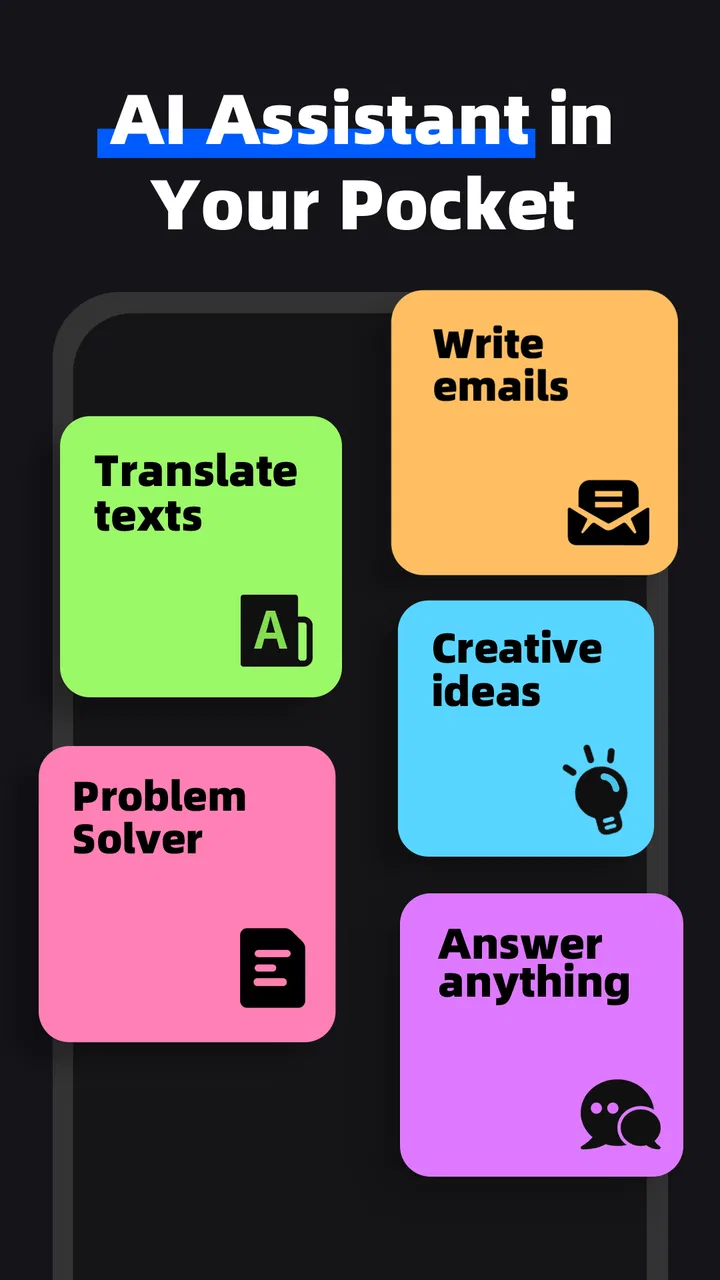
What makes it worth considering is the combination of conversational questions and image-based help. Instead of switching between a calculator, a search engine, a homework forum, and a translation tool, I can begin in one place. That convenience is real, but it should not be confused with guaranteed accuracy. My best results came when I treated the assistant as a patient study partner whose work needed a quick review.
You May Also Like

 Blood Strike: 2.5 Anniversary
Blood Strike’s Loadouts Turn Every Drop Into a Tactical Gamble
A close look at Blood Strike’s custom loadouts: how fast access to signature weapons reshapes its battle royale rhythm, rewards preparation, and narrows the gap between fights.

 Pandora - Music & Podcasts
Pandora’s Music Is Easy to Start, but Harder to Recover
Pandora’s strength is its low-effort path from a seed to a station. Its weak spot is how much confidence it asks you to place in connection, setup, and quiet recovery.

 8 Ball Pool
 Is Built on Rivalries, Rematches, and Routine
A close look at the rivalries, rematches, shared routines, and unanswered safety questions that turn a quick pool match into a persistent mobile community.

 Samsung Music
’s Quiet Strength Is Playing What You Already Own
Its reach comes less from spectacle than from dependable access to a personal library. That simplicity is both the app’s strongest retention engine and its ceiling.

 AccuWeather: Weather Radar
AccuWeather Review: A Quick, Clear Forecast for Everyday Decisions
For everyday plans, the best forecast is the one you can understand quickly. AccuWeather makes rain timing, radar, and local conditions easy to act on, with a few trade-offs.

 Hill Climb Racing
Why Hill Climb Racing Still Turns Crashes Into One More Run
A tiny car, a bumpy hill and one more upgrade: Hill Climb Racing keeps resurfacing because its simple chaos makes every near-miss feel personal.
More From Our News Desk



How the current version fits into real study routines
I find that a shared-device routine works best when each person treats a scan as the start of a conversation, not a ready-made answer: confirm what the image shows, then ask about the confusing step. That keeps a quick homework check useful for different subjects and ages, while making the handoff to a sibling or parent easier to follow. It also makes account and device boundaries worth considering before anyone begins.
A practical starting point for questions and homework
The basic workflow is easy to understand: ask something in ordinary language, or use the camera-oriented approach for a problem that is already on paper or a screen. This is especially handy when the question is too long to type, when a mathematical expression contains several symbols, or when I want to ask about a diagram without rewriting every label.
A realistic example would be a student working at the kitchen table after class. They photograph a math exercise, ask for the reasoning rather than only the result, and then follow up with a narrower question about the step that caused confusion. That sequence is more valuable than simply copying an answer. It turns the app into a way to identify the exact point of difficulty.
I also found the conversation format better suited to follow-up questions than a normal web search. A search engine may return several pages and leave me to decide which explanation fits the problem. Here, I can ask for simpler wording, a worked example, or a comparison with a related concept. The trade-off is that a conversational answer can sound confident even when the underlying interpretation is wrong, so I would never submit an important assignment without checking the logic.
Where scanning helps, and where it needs care
Scanning is most useful when the source is clear, flat, and well lit. A clean worksheet or printed page gives the assistant a better chance of recognizing the question correctly. Cropped images are also sensible: including one exercise instead of an entire page reduces distractions and makes it easier to notice whether a symbol, exponent, or negative sign was interpreted properly.
The hidden skill here is not simply pointing the camera. It is preparing the question. I get more dependable help when I check the captured text before relying on the response, especially with fractions, geometry notation, handwritten corrections, and multi-line equations. A small recognition mistake can send the whole explanation in the wrong direction while still producing a polished-looking answer.
For that reason, I would use the scan feature in two passes. First, I ask the assistant to restate what it thinks the problem says. Then I confirm or correct that interpretation before asking for the solution. This adds a few seconds, but it is one of the most useful habits for avoiding an answer to the wrong question.
Useful beyond mathematics
The name highlights math assistance, but the broader appeal is the chatbot format. I can use it to clarify vocabulary, break down a difficult paragraph, generate practice questions from a topic, or ask for a shorter explanation of a concept. It works best as a flexible layer over subjects I am already studying, not as a complete course with a carefully sequenced syllabus.
That difference separates it from a dedicated learning platform. A language-learning app may provide structured lessons, spaced repetition, and progress tracking. A math practice app may offer a large exercise bank with answer validation. Question.AI is more open-ended: I decide what to ask and how deeply to continue. That freedom is excellent for gaps that do not fit a fixed lesson, but it also means I must supply the organization and discipline.
What the product history tells existing users
The app was released on May 29, 2023, and the current version is 3.3.32. Those details place it in an active stage of development rather than presenting it as an old, abandoned utility. For someone who installed an earlier build, the important practical point is to judge the current experience on its own: interface behavior, response quality, and scanning reliability can change as the product evolves.
I would not treat a version number alone as proof that every weakness has been solved. A newer build can improve stability or polish while still leaving the central challenge of AI education intact: the assistant has to interpret the input correctly and explain the result responsibly. Existing users should therefore notice whether updates make conversations easier to continue, whether image questions require fewer corrections, and whether the app remains comfortable for short study sessions.
The app has reached over ten million installs, with an average rating of 4.7 from around two hundred twenty-nine thousand ratings and about thirteen thousand written reviews. That level of adoption suggests that the concept is resonating with many users, but popularity should be read alongside personal needs. A student who wants instant help with irregular questions may be delighted, while someone seeking a formal curriculum may still prefer a specialized service.
The effect on a student’s workflow
The biggest advantage is reduced friction. When I am stuck on one step, opening a conversation is faster than searching for the exact wording of the problem online. The ability to continue asking questions also changes the rhythm of studying: instead of abandoning a topic after one confusing explanation, I can request a simpler version or ask why a particular operation is allowed.
There is a useful distinction between answer seeking and understanding. If I type “solve this” and stop there, the app can encourage shallow learning. If I ask “what should I notice first?” or “show me how to check the result,” the same tool becomes more educational. I recommend saving the final explanation in my own words, then attempting a similar problem without assistance. That small extra step reveals whether I actually learned anything.
Another practical workflow is error analysis. After completing an exercise, I can present my attempt and ask the assistant to identify the first incorrect step without rewriting the entire solution. This is often more helpful than seeing a perfect answer because it preserves the connection between my reasoning and the correction. It also makes the tool useful for revision, not only emergency homework support.
How it compares with familiar alternatives
Compared with a search engine, the app is more direct for a single question and more comfortable for follow-up discussion. Search remains better when I need primary sources, official definitions, current information, or several independent viewpoints. A chatbot response is convenient, but convenience should not replace source checking for research-heavy schoolwork.
Compared with a calculator, it can offer context and explanation rather than only computation. The calculator is still the better choice for a quick numerical check when I already know the method. Compared with a dedicated math solver, Question.AI may feel broader because I can discuss the problem in natural language, while a specialized solver may be preferable when exact symbolic handling and step-by-step verification are the priority.
Compared with a traditional tutor, the app is available on demand and does not make me feel embarrassed about asking a basic question. A human tutor remains stronger at noticing confusion, adapting to long-term learning habits, and challenging an incorrect assumption before it becomes a pattern. I see the app as a useful supplement, especially between lessons, rather than a substitute for personal instruction.
Remaining gaps I would consider before installing
The central limitation is reliability. AI can misunderstand a scan, overlook a condition in a word problem, or explain a flawed conclusion smoothly. Mathematics is particularly unforgiving: one missing sign or misread exponent can change everything. I would verify important results with the original exercise, a trusted textbook, a teacher, or an independent calculation.
There is also a learning-design gap. The app can respond to what I ask, but it does not automatically know whether I have mastered the underlying skill. Without a deliberate routine, it is easy to become dependent on hints. Users who want scheduled practice, graded progress, or a complete sequence of lessons may find a dedicated education platform more suitable.
The free entry point is appealing, but optional purchases deserve attention before a long-term commitment. Since individual items can cost from $0.49 up to $99.99, I would review any purchase screen carefully and decide whether the added access is genuinely useful for my study habits. The app is easiest to recommend when the free experience already matches the user’s needs and paid options are treated as optional rather than necessary.
Privacy-minded users should also adopt sensible habits with any camera-based AI study tool. I would crop out names, school identifiers, faces, and unrelated documents before scanning. That is good digital hygiene even when the question itself seems harmless. For children, parents can help establish those boundaries and encourage the child to use the assistant for explanation rather than copying.
Who will get the most from it
I would recommend it to students who regularly encounter one-off questions, need plain-language explanations, or want to turn a photographed worksheet into a conversation. It is also a good fit for independent learners who are comfortable asking follow-up questions and checking answers. The app’s flexibility makes it particularly useful when the problem does not fit neatly into a single textbook exercise.
It is less suitable for someone who wants a fully organized course, guaranteed academic correctness, or a formal record of progress. It may also frustrate users who expect every handwritten page or complex diagram to be understood perfectly on the first scan. In those cases, a human tutor, a structured learning platform, or a subject-specific solver may be the better primary tool.
What I would watch as the app develops
For future use, I would pay attention to how the current product handles three things: recognition of difficult images, transparency when an answer is uncertain, and support for learning rather than answer delivery. These are more meaningful signs of progress than cosmetic changes. If the assistant becomes better at asking clarifying questions before solving, that would directly improve trust.
I would also look for smoother ways to turn a single question into a study session. Helpful prompts for checking work, generating a similar exercise, or revisiting a mistake could reduce the risk of passive copying. The strongest evolution would preserve the speed of the chatbot while encouraging the habits of a good tutor: diagnose, explain, practice, and review.
My overall view is positive but measured. Question.AI - Chatbot&Math AI is a convenient education app for quick explanations, scanned questions, and conversational problem solving. Its free availability and broad age rating make it easy to try, while its large user base and current version show that it has become a well-established option in this space. I would keep it on my phone for moments when a textbook explanation is not enough, but I would pair it with independent checking and real practice.
If you want an instant study companion that can discuss a question instead of merely returning a search result, this app is worth trying. Just use its strongest feature—the ability to ask better follow-up questions—and remember the most important rule: use the response to understand the work, not to avoid doing it. That approach gives the app a useful place in a modern study routine without asking it to be something it is not.
FAQs for Question.AI - Chatbot&Math AI
01What is Question.AI - Chatbot&Math AI and what does it do?
Question.AI - Chatbot&Math AI is an innovative app designed to assist users with a variety of tasks, primarily focusing on math problem-solving and general queries. It utilizes advanced AI to provide accurate answers, making it a useful tool for students, educators, and anyone in need of instant information.
02Is Question.AI - Chatbot&Math AI free to use?
Yes, Question.AI offers a free version that includes essential features. However, for more advanced functionalities and an ad-free experience, users may opt for a premium subscription. This provides enhanced AI capabilities for more complex problem-solving and additional support features.
03How accurate is the math-solving capability of Question.AI?
The app uses sophisticated algorithms to ensure high accuracy in solving math problems. It covers a range of topics from basic arithmetic to advanced calculus. While it strives for precision, users are encouraged to double-check complex solutions, especially in academic settings.
04Can Question.AI - Chatbot&Math AI be used offline?
The app primarily requires an internet connection to access its full range of AI capabilities and stay updated with the latest data and algorithms. Some basic functionalities may be available offline, but for optimal performance, a stable internet connection is recommended.
05Is Question.AI - Chatbot&Math AI safe for children to use?
Yes, the app is designed to be user-friendly and safe for all ages. It features a straightforward interface that is easy for children to navigate. Additionally, the app does not collect personal data without consent, aligning with privacy standards to ensure a secure user experience.
Pros
- Intuitive interface for easy navigation.
- Accurate math solutions with explanations.
- Supports multiple languages.
- Quick response times from the chatbot.
- Free basic version available.
Cons
- Limited features in free version.
- Occasional minor bugs in app.
- Requires internet for full functionality.
- Some ads in the free version.
- Premium features can be costly.

Question.AI - Chatbot&Math AI
Gallery